
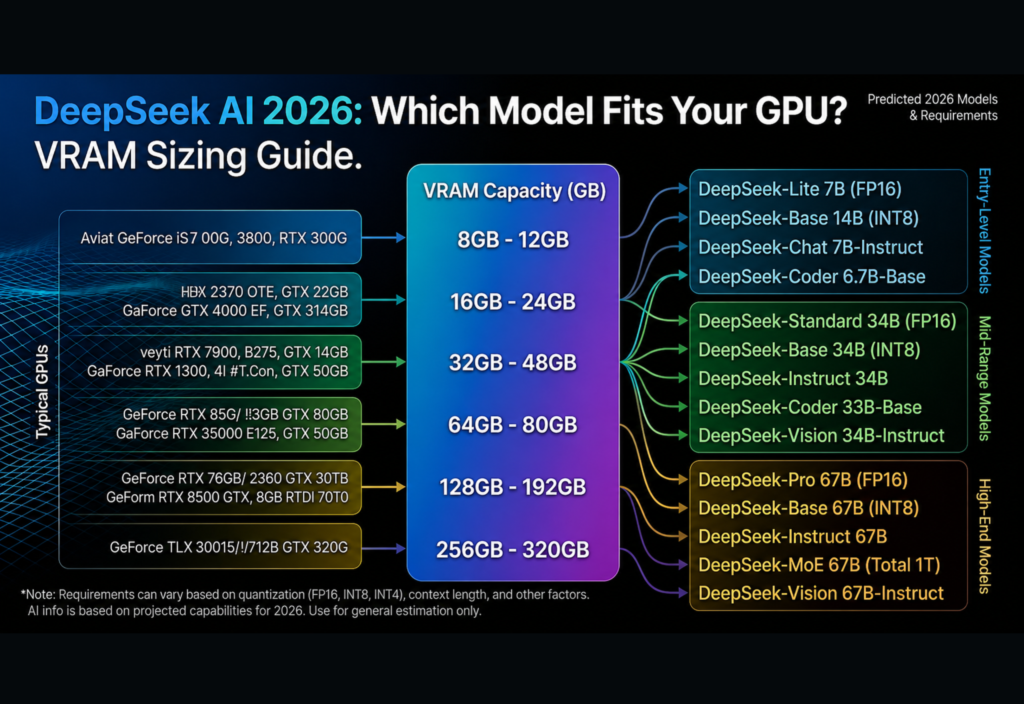
Choosing the right AI model for your computer is no longer just about speed or accuracy. It also depends on whether your graphics card has enough memory to run the model efficiently. This DeepSeek VRAM Guide helps you understand which DeepSeek AI model fits your GPU and how much VRAM you need for smooth performance.
Instead of guessing, you can compare your hardware with common model requirements and avoid slow loading times, memory errors, and poor AI performance. As AI models continue to become larger and more capable, selecting a model that matches your GPU is one of the most important steps for running DeepSeek locally.
Why VRAM Is Important for DeepSeek AI
VRAM (Video Random Access Memory) is the dedicated memory inside your graphics card. Unlike system RAM, VRAM is specifically designed to process graphics and AI workloads at extremely high speeds.
When you load a DeepSeek model, your GPU stores important information in VRAM so it can generate responses quickly.
VRAM is responsible for:
Storing model weights
Processing attention layers
Managing conversation context
Generating output tokens
Performing temporary AI calculations
If your GPU runs out of VRAM, the operating system begins using system RAM instead. Although the model may still work, performance becomes much slower because system memory cannot match GPU memory speeds.
Understanding your VRAM capacity is therefore just as important as choosing the right graphics card.
Understanding DeepSeek Model Sizes
DeepSeek offers AI models in different sizes to support a wide range of hardware.
Smaller models require less GPU memory and generate responses quickly, while larger models deliver stronger reasoning, coding abilities, and higher-quality outputs but require significantly more VRAM.
Small Models
Small DeepSeek models are designed for entry-level and mid-range graphics cards.
They are ideal for:
General conversations
Basic writing
Simple coding
Learning local AI
Most small models work comfortably on GPUs with 4 GB to 8 GB of VRAM when using optimized versions.
Medium Models
Medium-sized models provide an excellent balance between performance and hardware requirements.
They are commonly used for:
Content creation
Software development
Research
Document summarization
Productivity tasks
Many users consider medium models the best option because they deliver high-quality responses without requiring expensive workstation hardware.
Large Models
Large DeepSeek models are built for advanced AI workloads.
They are commonly used for:
Complex programming
Technical research
Long document analysis
Business automation
Enterprise AI projects
These models usually require powerful desktop GPUs with large amounts of VRAM.
Factors That Affect VRAM Usage
Model size is not the only factor that determines GPU memory usage. Several settings also influence how much VRAM DeepSeek requires.
Model Precision
DeepSeek models are available in different precision formats such as:
FP16
BF16
INT8
INT4
Higher precision generally improves accuracy but requires more GPU memory.
Lower-precision models consume much less VRAM, making them ideal for consumer graphics cards.
Context Length
Context length determines how much information the AI remembers during a conversation.
Longer context windows improve long-document understanding but also increase VRAM usage.
For example, an 8K context uses considerably less memory than a 32K context.
Batch Size
Batch size controls how many requests your GPU processes simultaneously.
Larger batches improve throughput but consume more memory.
For personal AI use, smaller batch sizes usually provide better stability.
Quantization
Quantization reduces VRAM usage by compressing model weights while maintaining good response quality.
Popular quantization formats include:
Q4
Q5
Q6
Q8
Among these, Q4 and Q5 offer the best balance between memory usage, speed, and output quality.
Estimated VRAM Requirements
Although actual memory usage varies depending on your software and settings, these estimates provide a useful starting point.
| Model Size | Recommended VRAM |
|---|---|
| 1B–3B | 4–6 GB |
| 7B | 8–10 GB |
| 8B–14B | 12–16 GB |
| 32B | 24 GB+ |
| 70B+ | 48 GB+ or Multi-GPU |
These recommendations assume optimized or quantized models. Full-precision versions require significantly more GPU memory.
Choosing the Right GPU for DeepSeek AI
Selecting the right graphics card is one of the most important decisions when running DeepSeek locally.
Although GPU performance matters, VRAM is usually the biggest limitation.
A graphics card with more VRAM can load larger models, support longer context windows, and deliver smoother AI performance.
This DeepSeek VRAM Guide recommends matching your GPU to the appropriate model size instead of simply choosing the largest available model.
6 GB GPUs
A graphics card with 6 GB of VRAM is suitable for lightweight AI tasks.
It works well for:
Small DeepSeek models
Short conversations
Basic coding
Simple text generation
Using lower context lengths and quantized models improves overall performance.
8 GB GPUs
An 8 GB GPU remains one of the most popular options for home users.
It is ideal for:
Writing assistance
Coding help
Student projects
Daily AI use
Q4 and Q5 models usually perform very well on this hardware.
12 GB to 16 GB GPUs
GPUs with 12 GB or 16 GB of VRAM provide significantly greater flexibility.
They are excellent for:
Software development
Research
Long-form writing
Technical documentation
Productivity workflows
For many creators and developers, this range offers the best balance between cost and AI performance.
24 GB GPUs
A 24 GB graphics card supports larger DeepSeek models with stronger reasoning capabilities.
It is recommended for:
Professional developers
AI engineers
Advanced research
Business automation
Large document analysis
48 GB and Higher
Professional AI workstations equipped with 48 GB or more of VRAM can comfortably run the largest DeepSeek models.
These systems are commonly used for:
Enterprise AI
Scientific research
Large-scale software development
Multiple AI workloads
Tips to Reduce VRAM Usage
Not everyone owns a high-end graphics card.
Fortunately, several techniques can significantly reduce GPU memory usage.
Use Quantized Models
Quantized versions require much less VRAM while maintaining excellent response quality.
Reduce Context Length
Shorter conversations require less GPU memory and often improve inference speed.
Lower the Batch Size
Smaller batch sizes reduce VRAM consumption and improve stability.
Close Background Applications
Games, browsers, and video editing software often reserve GPU memory that DeepSeek needs.
Keep Drivers Updated
New GPU drivers and AI inference software frequently include memory optimizations that improve performance.
Common Mistakes to Avoid
Many users experience problems because they ignore basic hardware requirements.
Avoid these common mistakes.
Downloading Models That Are Too Large
Always verify VRAM requirements before downloading a model.
Ignoring Quantization
Optimized Q4 and Q5 models often provide nearly the same quality while using much less memory.
Forgetting Reserved GPU Memory
Some VRAM is always used by the operating system and background software.
Using an Unnecessarily Large Context Window
A larger context consumes more GPU memory even if your conversation is short.
Should You Upgrade Your GPU?
Before purchasing a new graphics card, think about how you plan to use DeepSeek AI.
If your work mainly includes:
Chatting
Writing
Basic coding
then an 8 GB or 12 GB GPU may already be sufficient.
However, if you regularly:
Analyze large documents
Generate complex code
Build AI applications
Perform technical research
then upgrading to a 16 GB or 24 GB GPU can provide a much smoother experience.
Professional researchers and enterprise users should consider GPUs with 48 GB of VRAM or multi-GPU systems.
Final Thoughts
Running DeepSeek AI successfully depends on selecting a model that matches your available hardware.
Instead of always choosing the largest AI model, focus on finding the right balance between model size, VRAM capacity, and overall performance.
This DeepSeek VRAM Guide shows that understanding GPU memory is the key to efficient local AI inference. Smaller models perform well on entry-level graphics cards, while medium and large models require additional VRAM for the best experience.
As AI models continue to improve throughout 2026, choosing hardware wisely will help you avoid memory errors, increase response speed, and maximize the performance of your local AI setup. Whether you are a beginner, developer, or AI enthusiast, matching your GPU with the right DeepSeek model is the smartest way to achieve reliable and efficient results.

