
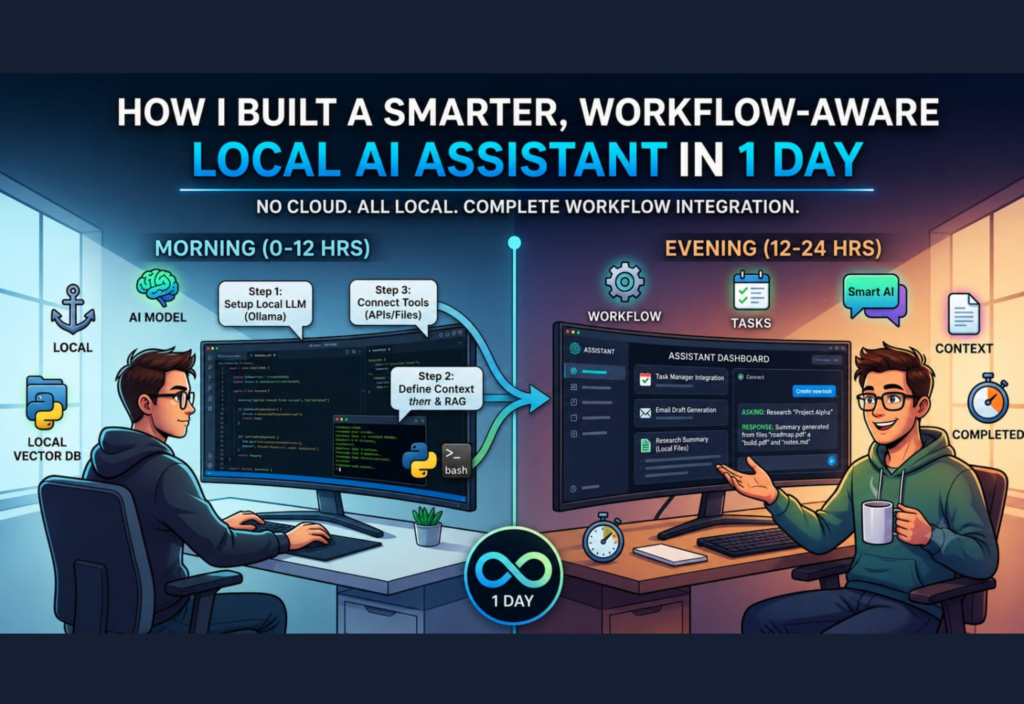
Artificial intelligence is changing the way people work, learn, and solve everyday problems. While cloud-based AI tools have become increasingly popular, many users are now looking for solutions that offer greater privacy, faster performance, and complete control over their data. This is where a Local AI Assistant becomes a valuable choice. Instead of sending information to online servers, a local AI assistant runs directly on your computer, allowing you to work securely even without an internet connection.
I wanted to see if it was possible to build a smarter AI assistant that could do more than answer simple questions. My goal was to create an assistant that understood workflows, remembered recent tasks, interacted with local files, and helped automate repetitive work. Surprisingly, I completed a working version in just one day.
In this article, I’ll explain every step of the journey—from planning and selecting the right tools to creating an AI assistant that improves productivity while keeping personal data completely private.
Why I Decided to Build a Local AI Assistant
Many AI assistants available today rely heavily on cloud services. They offer impressive features, but they also come with several limitations. Every request requires an internet connection, and sensitive information is often processed on external servers. For businesses, freelancers, researchers, and students, this creates understandable privacy concerns.
A Local AI Assistant solves many of these problems because everything runs directly on your own computer.
Some of the biggest advantages include:
- Better privacy and security
- Faster response times
- Offline access
- No monthly subscription fees
- Complete control over your data
- Greater customization
These benefits motivated me to build my own solution instead of depending entirely on cloud-based AI platforms.
What Makes a Workflow-Aware Local AI Assistant Different?
A standard chatbot waits for a question and then generates an answer. A workflow-aware Local AI Assistant goes much further by understanding connected tasks and completing them in sequence.
For example, instead of simply summarizing one document, it can:
- Read an entire folder
- Detect newly added files
- Generate summaries
- Save results automatically
- Organize documents into categories
- Continue working without repeated instructions
This transforms the assistant from a simple chatbot into a reliable digital coworker that supports everyday productivity.
Planning the Project
Since I wanted to complete the project in just one day, planning became extremely important. Rather than attempting to build every possible feature, I focused only on the functions that would provide the most value.
The primary goals included:
- Running completely on a local computer
- Understanding natural language commands
- Reading local documents
- Remembering recent conversations
- Supporting workflow automation
- Delivering fast responses
By limiting the project scope, I was able to build a practical assistant without becoming overwhelmed.
Choosing the Right AI Model
Selecting the right language model was one of the most important decisions.
Large language models produce excellent results, but they often require expensive GPUs and large amounts of memory.
Instead of selecting the biggest model available, I chose a lightweight model optimized for local execution.
My priorities included:
- Fast performance
- Low memory consumption
- Strong reasoning ability
- Reliable instruction following
- Smooth offline operation
Modern compact AI models deliver an excellent balance between performance and quality, making them ideal for everyday productivity tasks.
Setting Up the Local Development Environment
Before building the assistant, I prepared a clean development environment. Having everything organized from the beginning helped prevent technical issues later.
The development environment included:
- Python
- A local AI runtime
- Required libraries
- File management tools
- Basic automation components
After installing everything, I tested the AI model using simple prompts. Once it responded correctly, I knew the system was ready for additional features.
Giving the Local AI Assistant Memory
One major limitation of basic AI chatbots is that they quickly forget previous conversations. Repeating the same instructions repeatedly wastes time and reduces productivity.
To solve this problem, I implemented short-term memory so the assistant could remember recent context.
The assistant could now keep track of:
- Previous questions
- Recent conversations
- Current projects
- Active tasks
- Frequently used folders
This simple improvement made conversations feel far more natural. Instead of repeating every instruction, I could simply ask the assistant to continue working from where it had stopped.
Connecting the Assistant to Local Files
The next major milestone was allowing the assistant to access files stored directly on my computer.
This transformed it from a simple chatbot into a true productivity assistant.
It could now work with:
- Text documents
- PDF files
- Personal notes
- Project folders
- Research materials
Instead of copying and pasting information into a chat window, I simply pointed the assistant to the correct folder.
It automatically:
- Read documents
- Analyzed their content
- Generated summaries
- Extracted important information
- Organized results
This feature alone saved a significant amount of time during research and content creation.
Building Workflow Automation
The most exciting part of the project was workflow automation. Instead of performing only one task at a time, the assistant could complete multiple connected actions automatically.
Document Workflow
The assistant scanned a selected folder, opened every document, extracted the most important points, generated concise summaries, and saved the results into a new folder without requiring additional instructions.
Writing Workflow
For writing projects, the assistant generated outlines, suggested headings, corrected grammar, organized ideas, and prepared structured drafts that required only minimal editing before publication.
Research Workflow
During research tasks, the assistant gathered information from multiple documents, grouped related topics together, identified important findings, and created organized notes for future reference.
These automated workflows dramatically reduced repetitive work and allowed me to focus on higher-value tasks instead of routine activities.
Using Natural Language Commands
One of my biggest priorities was making the assistant easy to use.
I didn’t want complicated commands or confusing menus. Instead, I designed it to understand natural everyday language.
Some example commands included:
- “Summarize all documents in this folder.”
- “Organize today’s notes.”
- “Create a blog outline about AI.”
- “Find my latest research files.”
- “Continue writing yesterday’s article.”
Using natural language made the assistant feel more intelligent and accessible, even for users with little technical experience.
Improving Response Quality
The first version of the assistant worked well, but the responses were not always consistent. Sometimes they were too brief, while other times they included unnecessary details.
To improve quality, I refined the prompts and gave the assistant clearer instructions.
I defined:
- Its role
- Writing style
- Formatting preferences
- Response structure
- Task priorities
These refinements produced answers that were more accurate, better organized, and easier to understand while maintaining fast local performance.
Challenges I Faced
Building a workflow-aware Local AI Assistant in just one day was an exciting challenge, but it wasn’t without obstacles. Managing memory efficiently, processing large files, and maintaining fast response times required continuous testing and refinement.
Every problem became a learning opportunity. By the end of the day, the assistant had evolved into a practical productivity tool capable of handling everyday tasks while keeping all personal data securely stored on my own computer.
Some of the biggest challenges included:
- Managing memory efficiently
- Handling large documents
- Maintaining fast response times
- Improving prompt quality
- Organizing workflow automation
- Balancing speed and accuracy
Despite these challenges, the project proved that a powerful Local AI Assistant can be built in a short amount of time with the right planning.
Privacy and Security Advantages
One of the biggest reasons for choosing a Local AI Assistant is privacy. Unlike many cloud-based AI platforms that process information on external servers, a local assistant keeps your data entirely on your own computer.
This approach is especially valuable for professionals working with confidential business documents, financial records, research papers, legal files, or private notes.
Keeping everything local provides several important advantages:
- Better control over personal data
- Offline access without internet
- Reduced dependence on cloud services
- Greater customization
- Improved security for confidential projects
For many users, these benefits alone make local AI a worthwhile investment.
Performance and Productivity Improvements
After completing the project, I spent time testing the assistant across a variety of daily tasks. The results were encouraging. While local AI models may not always match the raw speed of powerful cloud services, they performed exceptionally well for writing, research, summarization, and document management.
Tasks that became significantly easier included:
- Creating article outlines
- Summarizing lengthy documents
- Organizing research notes
- Searching local folders
- Drafting emails
- Improving written content
- Brainstorming new ideas
Instead of constantly switching between multiple applications, I could complete most tasks using a single assistant. This simplified my workflow and reduced distractions throughout the day.
Lessons I Learned
Building a Local AI Assistant in one day taught me several valuable lessons that can help anyone planning a similar project.
Start with a Simple Goal
Trying to build every possible feature at once usually creates unnecessary complexity. Starting with a small but useful version allows faster progress and easier debugging.
Choose Practical Features
Memory, local file access, and workflow automation proved far more valuable than adding complicated features that offered little practical benefit.
Test Every Feature
Testing each new function before adding another made it much easier to identify and fix problems early.
Good Prompts Matter
Even the best AI model performs better when given clear instructions. Improving prompts greatly increased response quality, formatting consistency, and overall reliability.
Who Can Benefit from a Local AI Assistant?
A Local AI Assistant can improve productivity for many different types of users.
Content Creators
Writers and bloggers can generate outlines, improve grammar, rewrite articles, organize research, and create content more efficiently.
Students
Students can summarize textbooks, organize assignments, prepare revision notes, and better understand complex topics while keeping their work private.
Researchers
Researchers often manage hundreds of documents. A local assistant can quickly search files, summarize reports, and organize findings into structured notes.
Developers
Software developers can use AI to explain code, generate documentation, organize projects, and brainstorm programming solutions while keeping development files secure.
Small Businesses
Business owners can automate repetitive office tasks, organize documents, prepare reports, and improve productivity without depending entirely on cloud-based AI services.
Future Improvements
Although the first version became highly useful within one day, there are many exciting opportunities for future development.
Planned improvements include:
- Voice command support
- Calendar integration
- Smart task scheduling
- Intelligent reminders
- Email assistance
- Local image generation
- Multi-language support
- Better document analysis
- Advanced workflow automation
- Integration with productivity applications
Each of these additions would make the assistant even more capable of handling real-world tasks.
Common Challenges for Beginners
Anyone building their first Local AI Assistant may encounter several common obstacles.
These often include:
- Choosing the right AI model
- Limited computer resources
- Slow responses with large files
- Designing effective workflows
- Learning prompt engineering
- Managing local storage
Fortunately, most of these challenges become easier with practice and gradual improvements.
Tips for Building a Better Local AI Assistant
If you’re planning to build your own assistant, these practical tips can save considerable time and effort.
- Start with a lightweight AI model.
- Keep the first version simple.
- Test every feature individually.
- Organize project files carefully.
- Improve prompts through experimentation.
- Back up important project data regularly.
- Focus on solving real problems rather than adding unnecessary features.
Following these practices results in a more reliable and efficient assistant.
Is Building a Local AI Assistant Worth It?
For many people, the answer is yes.
A Local AI Assistant offers a powerful combination of privacy, flexibility, speed, and customization. It allows users to automate repetitive tasks while maintaining complete control over their personal information.
Although cloud-based AI services remain extremely powerful, local AI technology continues to improve rapidly. Modern language models are becoming smaller, faster, and more efficient, making local AI accessible to a much wider audience.
Whether you’re a student, freelancer, developer, researcher, or business owner, building your own assistant can be both a valuable learning experience and a practical productivity tool.
Frequently Asked Questions
Can a Local AI Assistant work without the internet?
Yes. Once the required software and AI model have been installed, most Local AI Assistants can perform many tasks completely offline.
Is a Local AI Assistant secure?
Generally, yes. Since your data remains on your own computer, local AI provides greater privacy than many cloud-based solutions. However, keeping your operating system and software updated remains essential.
Do I need advanced programming skills?
No. Many beginner-friendly tools and tutorials make it possible to build a basic Local AI Assistant with only a little programming knowledge.
Can I upgrade my assistant later?
Absolutely. You can gradually add new capabilities such as voice control, memory improvements, workflow automation, calendar integration, and connections with other applications as your experience grows.
Final Thoughts
Building a Local AI Assistant in just one day demonstrated how practical and accessible artificial intelligence has become. By combining a lightweight language model with local file access, memory, and workflow automation, I created an assistant capable of handling useful everyday tasks while protecting personal data.
The project also proved that effective AI solutions do not always require expensive cloud subscriptions or enterprise-grade servers. With thoughtful planning, the right tools, and a focus on solving real problems, anyone can build an assistant that supports writing, research, organization, and daily productivity.
As local AI technology continues to evolve, these assistants will become even smarter, faster, and more capable. If you’ve been thinking about exploring artificial intelligence, building your own Local AI Assistant is an excellent project that offers both valuable hands-on experience and long-term practical benefits.

