
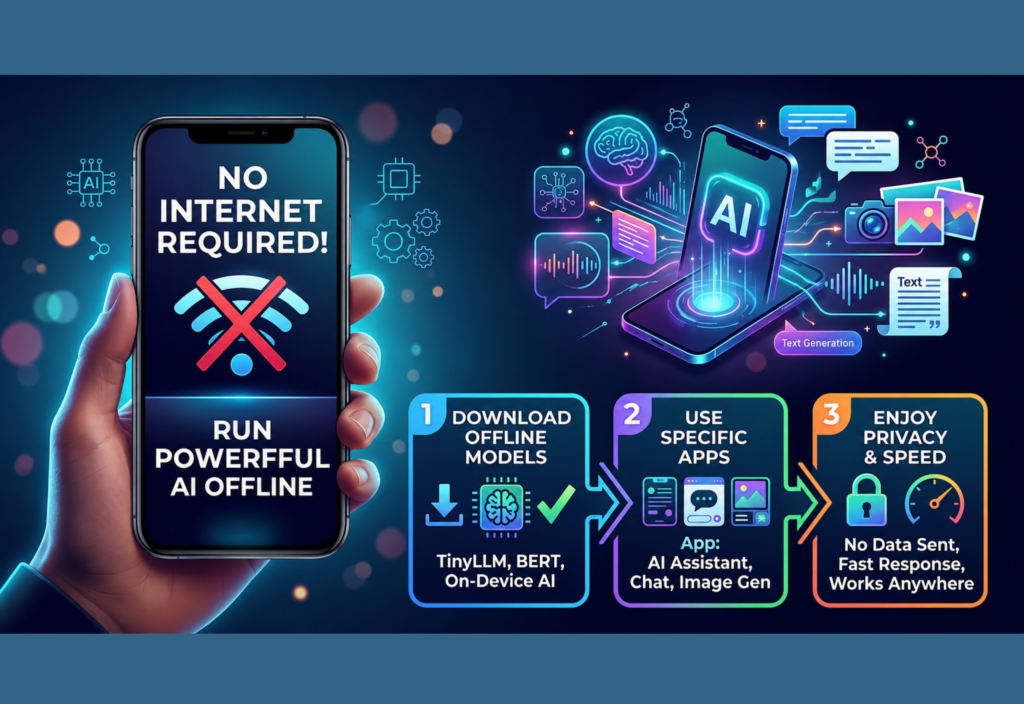
Run AI Offline on Your Phone is becoming one of the most exciting technology trends in 2026. As artificial intelligence becomes more powerful, many users want to run AI offline on their phones instead of relying on cloud-based services. Whether you want better privacy, faster responses, or the ability to work without an internet connection, offline AI offers a practical solution for everyday tasks.
Most AI tools rely on remote servers to process requests, which means they require a stable internet connection. Fortunately, advances in smartphone hardware now make it possible to run AI offline on your phone using local AI models. This allows users to write emails, summarize documents, translate languages, brainstorm ideas, and even get coding assistance while keeping their data on the device.
Whether you are a student, professional, content creator, or technology enthusiast, learning how to run AI offline on your phone can improve productivity, protect your privacy, reduce mobile data usage, and let you use powerful AI features almost anywhere.
What Is Offline AI?
Offline AI refers to artificial intelligence models that run entirely on your smartphone instead of relying on cloud-based processing. The AI model is stored on your device and uses your phone’s processor to generate responses.
Unlike cloud AI, offline AI does not require a continuous internet connection once the model has been downloaded. This makes it useful for users who frequently travel, work in areas with poor connectivity, or prefer keeping their personal information on their own device.
Benefits of Running AI Offline
Running AI directly on your smartphone provides several practical advantages.
Better Privacy
Since your prompts and documents remain on your device, there is less need to upload personal information to external servers. This makes offline AI suitable for handling private notes, drafts, and other sensitive content.
No Internet Required
One of the biggest advantages is the ability to continue using AI without Wi-Fi or mobile data. Whether you are on a flight, commuting, or in a remote location, many offline AI features remain available.
Faster Responses
For supported tasks, local processing can reduce delays caused by network communication, making interactions feel more responsive.
Lower Data Usage
Because information is processed locally, offline AI can reduce mobile data consumption compared to cloud-based services.
How Offline AI Works
Offline AI works by downloading a language model onto your smartphone. Once installed, the model uses your device’s CPU, GPU, or dedicated AI processor to generate responses locally.
Modern smartphones include specialized hardware designed for machine learning tasks. These processors improve AI performance while reducing battery consumption.
Although local models are generally smaller than cloud-based models, they can still perform many useful tasks efficiently.
Common Uses for Offline AI
Offline AI is becoming increasingly useful in daily life.
Writing and Editing
Use AI to write emails, edit documents, improve grammar, and generate ideas without an internet connection.
Document Summarization
Quickly summarize long articles, PDFs, reports, or notes directly on your smartphone.
Language Translation
Translate text between multiple languages while traveling or working offline.
Brainstorming Ideas
Generate content ideas, outlines, project plans, and creative concepts anytime.
Learning and Education
Study new topics, practice languages, and receive explanations without relying on cloud services.
Personal Productivity
Create to-do lists, organize schedules, manage notes, and improve daily productivity using offline AI.
Coding Assistance
Developers can receive coding suggestions, explanations, and basic debugging support directly on compatible devices.
Hardware Requirements
The performance of offline AI depends largely on your smartphone’s hardware.
For the best experience, consider a device with:
- A modern multi-core processor
- At least 8 GB of RAM
- Sufficient storage space for AI models
- A dedicated AI or Neural Processing Unit (NPU)
- A recent version of Android or iOS
Higher-end smartphones generally provide faster AI responses and support larger language models.
Best Practices for Using Offline AI
To get the most from offline AI, follow these recommendations.
Keep Your Device Updated
Install the latest operating system updates to improve performance, security, and AI compatibility.
Maintain Enough Storage
AI models can require several gigabytes of storage. Keep sufficient free space for downloads and updates.
Use Trusted AI Applications
Download AI apps only from trusted developers or official app stores to protect your privacy and security.
Review AI Responses
Always verify AI-generated information before using it for professional work, research, or important decisions.
Monitor Battery Usage
Running AI locally can increase battery consumption during long sessions. Charging your phone or enabling battery optimization can improve the experience.
Choose the Right Model Size
Install AI models that match your smartphone’s hardware capabilities instead of selecting unnecessarily large models.
Limitations to Consider
While offline AI offers many benefits, it also has some limitations.
Smaller AI Models
Local models are generally smaller than cloud-based systems and may not provide the same level of reasoning or accuracy.
Hardware Limitations
Performance depends on your smartphone’s processor, RAM, and AI hardware. Older devices may struggle with larger models.
No Real-Time Internet Access
Offline AI cannot access current news, live web searches, or real-time online information unless your device is connected to the internet.
Conclusion
Offline AI is changing the way people use artificial intelligence by making powerful features available without a constant internet connection. By running AI models directly on smartphones, users gain greater privacy, lower data usage, and the flexibility to work from virtually anywhere.
As smartphone hardware continues to improve, offline AI will become faster, more capable, and accessible to a wider range of users. Whether you need assistance with writing, studying, productivity, or everyday tasks, running AI locally on your phone offers a practical and reliable solution for intelligent computing without depending on cloud services.

