Databases are the foundation of almost every modern application. Whether you’re building a website, mobile app, e-commerce platform, banking system, social media network, or AI-powered application, you need a reliable way to store, organise, and retrieve data efficiently.
Choosing the right database is one of the most important decisions developers make during software development. Today, the two most popular database categories are SQL and NoSQL. Both are widely used across the technology industry, but they are designed for different purposes and workloads.
SQL vs NoSQL is one of the most searched database comparisons because developers often struggle to decide which solution best fits their project. SQL databases have been trusted for decades due to their reliability, structured design, and powerful querying capabilities. Meanwhile, NoSQL databases have gained popularity because they provide greater flexibility, horizontal scalability, and excellent performance when handling large volumes of unstructured or rapidly changing data.
In 2026, both SQL and NoSQL databases continue to play an essential role in web development, cloud computing, enterprise software, artificial intelligence, and big data applications. Rather than replacing one another, they solve different types of problems.
In this guide, you’ll learn what SQL and NoSQL databases are, how they work, their key differences, advantages, disadvantages, popular database systems, and how to choose the right database for your next project.
What Is SQL?
SQL stands for Structured Query Language. It is the standard language used to create, manage, and query relational databases.
SQL databases organise information into tables that contain rows and columns. Each table stores a specific type of data, while relationships between tables help maintain consistency and eliminate duplication.
For example, an online shopping website might have separate tables for:
- Customers
- Products
- Orders
- Payments
- Shipping
These tables are connected using keys, allowing developers to retrieve related information quickly and accurately.
SQL databases use predefined schemas, meaning the structure of the database must be defined before data is stored. This ensures consistency and makes SQL databases ideal for applications that require accurate, structured data.
How SQL Databases Work
A relational database stores data inside tables.
Each table consists of:
- Rows (records)
- Columns (fields)
For example, a customer table may look like this:
Customer 1
- Customer ID: 101
- Name: Ali
- Email: ali@email.com
Customer 2
- Customer ID: 102
- Name: Sara
- Email: sara@email.com
Customer 3
- Customer ID: 103
- Name: Ahmed
- Email: ahmed@email.com
Developers use SQL queries to insert, update, delete, and retrieve information from these tables.
A simple query looks like this:
SELECT * FROM Customers;This command retrieves every record stored in the Customers table.
SQL provides many additional commands for filtering, sorting, grouping, joining tables, and analysing data efficiently.
Popular SQL Databases
Many organisations rely on SQL databases because of their stability and performance.
Some of the most widely used SQL databases include:
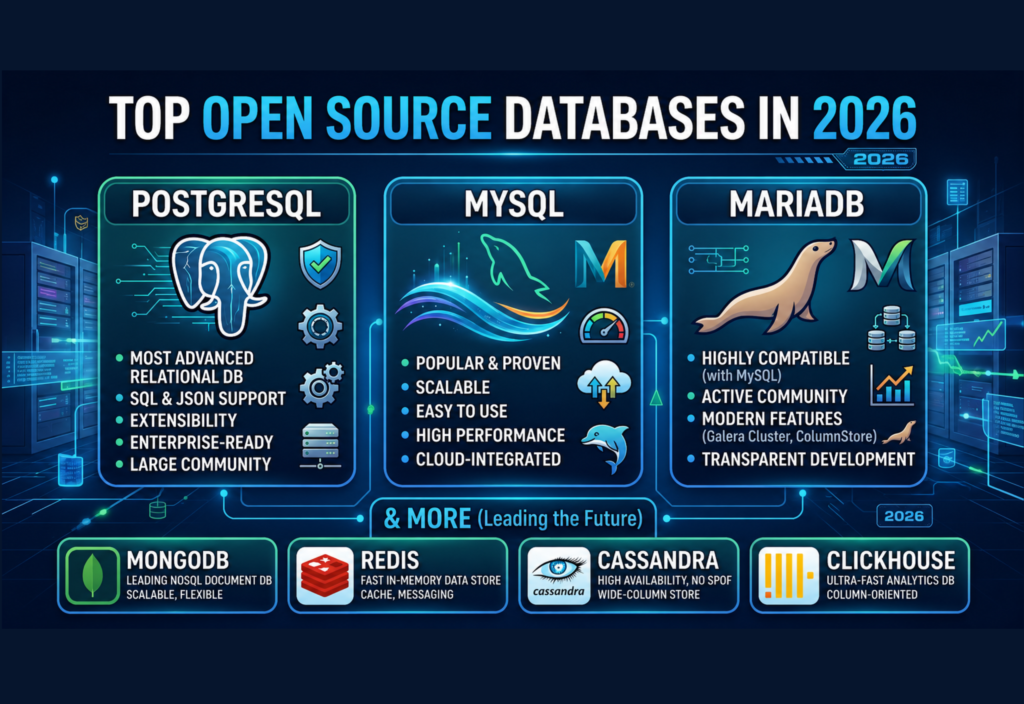
- PostgreSQL
- MySQL
- MariaDB
- Microsoft SQL Server
- Oracle Database
- SQLite
Each database offers unique features, but all follow the relational database model.
Advantages of SQL Databases
SQL databases offer several important benefits.
Structured Data
Data follows a predefined schema, making it easier to manage and validate.
High Reliability
SQL databases are highly stable and have been trusted for business-critical applications for decades.
Powerful Queries
Developers can retrieve complex information using advanced SQL queries.
ACID Transactions
SQL databases support ACID properties:
- Atomicity
- Consistency
- Isolation
- Durability
These features help ensure data remains accurate even during system failures.
Strong Data Integrity
Relationships between tables reduce duplicate information and improve consistency.
Disadvantages of SQL Databases
Despite their strengths, SQL databases also have limitations.
Some common disadvantages include:
- Less flexible schema
- More difficult horizontal scaling
- Structural changes can require database migrations
- Better suited to structured data than rapidly changing datasets
What Is NoSQL?
NoSQL stands for Not Only SQL.
Unlike traditional relational databases, NoSQL databases do not require information to be stored inside fixed tables.
Instead, they support multiple data models, including:
- Document databases
- Key-value databases
- Wide-column databases
- Graph databases
This flexibility allows developers to store structured, semi-structured, and completely unstructured data without designing a rigid schema beforehand.
NoSQL databases became popular as companies like Google, Amazon, Facebook, Netflix, and Uber needed systems capable of handling massive amounts of rapidly changing information across distributed cloud environments.
How NoSQL Databases Work
Instead of organising data into related tables, NoSQL databases store information in formats better suited to modern applications.
For example, a document database may store customer information like this:
{
  "name": "Ali",
  "email": "ali@email.com",
  "orders": [
    {
      "product": "Laptop",
      "price": 1200
    },
    {
      "product": "Mouse",
      "price": 25
    }
  ]
}
Everything related to one customer can be stored inside a single document.
This approach reduces the need for complex joins between multiple tables.
Types of NoSQL Databases
NoSQL includes several database categories.
Document Databases
Store information as JSON-like documents.
Examples:
- MongoDB
- Couchbase
Key-Value Databases
Store information using simple key-value pairs.
Examples:
- Redis
- Amazon DynamoDB
Wide-Column Databases
Designed for extremely large datasets.
Examples:
- Apache Cassandra
- HBase
Graph Databases
Designed to store relationships between connected data.
Examples:
- Neo4j
- Amazon Neptune
Graph databases are commonly used in recommendation systems, fraud detection, and social networks.
Popular NoSQL Databases
Some of the most widely used NoSQL databases include:
- MongoDB
- Redis
- Cassandra
- DynamoDB
- Couchbase
- Neo4j
- Firebase Firestore
These databases power many large-scale cloud applications because they offer excellent scalability and flexibility.
Advantages of NoSQL Databases
NoSQL databases have become increasingly popular because they are designed to handle modern applications that generate massive amounts of data.
Some major advantages include:
Flexible Schema
Unlike SQL databases, NoSQL databases do not require a fixed schema. Developers can add or modify fields without redesigning the entire database.
Horizontal Scalability
NoSQL databases can distribute data across multiple servers, making them ideal for cloud computing and high-traffic applications.
High Performance
Many NoSQL databases provide extremely fast read and write operations, especially when working with large datasets.
Better for Unstructured Data
NoSQL databases can store:
- JSON documents
- Images
- Videos
- User activity
- Sensor data
- Social media content
Cloud-Friendly
Most modern cloud platforms provide built-in support for NoSQL databases because they scale efficiently across distributed systems.
Disadvantages of NoSQL Databases
Although NoSQL databases offer flexibility, they also have some limitations.
Limited ACID Support
Some NoSQL databases prioritise performance over strict transactional consistency.
Complex Queries
Relational queries can be more difficult compared to SQL databases.
Data Duplication
Since relationships are handled differently, duplicate data may occur.
Standardisation
Unlike SQL, NoSQL databases use different query languages depending on the database system.
SQL vs NoSQL: Key Differences
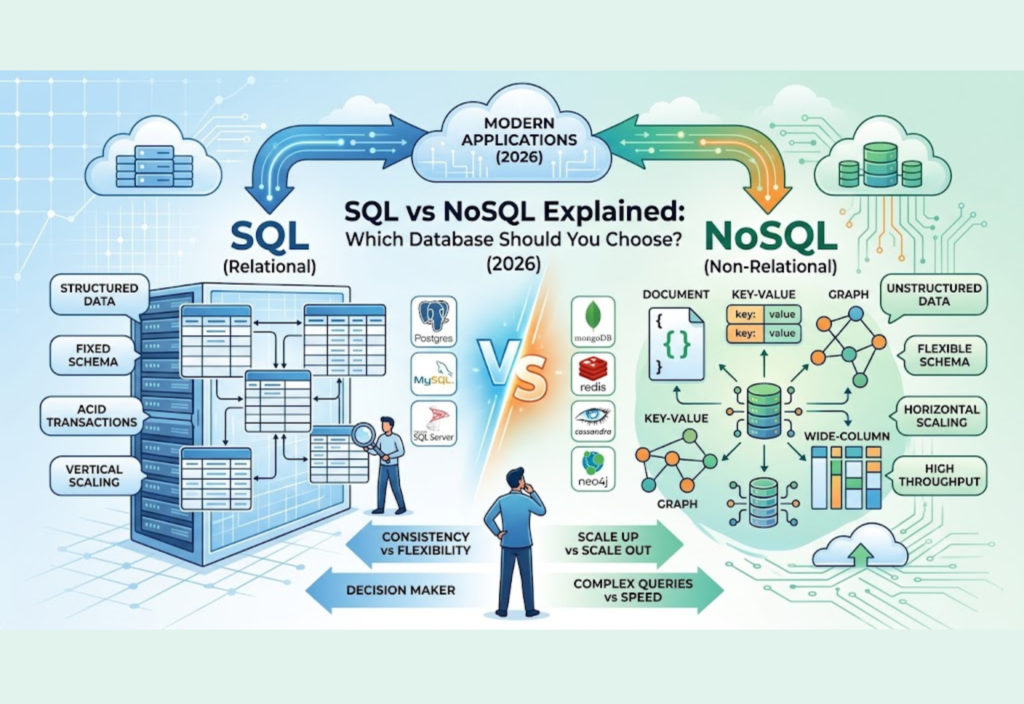
The biggest differences between SQL and NoSQL databases are shown below.
SQL Database
- Database Type: Relational
- Data Structure: Tables
- Schema: Fixed
- Scalability: Vertical
- Query Language: SQL
- ACID Transactions: Strong
- Best For: Structured data
- Performance: Excellent for complex queries
NoSQL Database
- Database Type: Non-relational
- Data Structure: Documents, Key-Value, Graphs, and Columns
- Schema: Flexible
- Scalability: Horizontal
- Query Language: Database-specific
- ACID Transactions: Varies by database
- Best For: Large-scale and flexible data
- Performance: Excellent for high-speed operations
When Should You Choose SQL?
SQL databases are the best choice when your application requires structured, reliable, and consistent data.
SQL is ideal for:
- Banking systems
- Financial applications
- Hospital management systems
- Inventory management
- Accounting software
- ERP systems
- CRM platforms
- Government databases
These applications require accurate transactions and strong data integrity.
When Should You Choose NoSQL?
NoSQL databases are better suited for applications that process rapidly changing or unstructured information.
NoSQL works well for:
- Social media platforms
- Chat applications
- IoT systems
- Big data analytics
- AI applications
- Real-time dashboards
- Gaming platforms
- Content management systems
- Recommendation engines
These applications often require high scalability and fast performance.
Real-World Examples
Many of the world’s largest technology companies use both SQL and NoSQL databases depending on their needs.
SQL Users
- Banking systems
- Airline reservation systems
- Healthcare platforms
- Enterprise business software
NoSQL Users
- Netflix
- Amazon
- Uber
- Airbnb
Large organisations often combine both database types within the same application.
Can SQL and NoSQL Work Together?
Yes.
Many modern applications use a combination of SQL and NoSQL databases.
For example:
- SQL stores customer accounts and payment information.
- NoSQL stores activity logs, recommendations, chat messages, and analytics.
This approach is called polyglot persistence, where different databases are used for different workloads.
Best Practices for Choosing a Database
Before selecting a database, consider these factors:
- Understand your application requirements.
- Analyse the type of data you’ll store.
- Estimate future growth.
- Consider scalability requirements.
- Evaluate security needs.
- Think about reporting and analytics.
- Choose a database supported by your development team.
- Test performance before production deployment.
Selecting the right database early can save significant time and development costs later.
Frequently Asked Questions
What is the difference between SQL and NoSQL?
SQL databases store structured data in related tables, while NoSQL databases support flexible data models such as documents, key-value pairs, graphs, and wide-column storage.
Which database is faster?
It depends on the workload.
SQL databases perform better for complex relational queries, while NoSQL databases generally offer faster performance for large-scale distributed applications.
Is MongoDB SQL or NoSQL?
MongoDB is a NoSQL document database.
Is MySQL a SQL database?
Yes. MySQL is one of the most popular relational SQL databases.
Which database should beginners learn first?
Learning SQL first is recommended because relational databases remain widely used across software development. Once you understand SQL, learning NoSQL becomes much easier.
Can a project use both SQL and NoSQL?
Yes. Many modern applications combine SQL and NoSQL databases to take advantage of the strengths of both technologies.
Conclusion
The SQL vs NoSQL debate does not have a single winner because each database type is designed for different requirements. SQL databases remain the best choice for applications that require structured data, strong consistency, and reliable transactions. Meanwhile, NoSQL databases provide greater flexibility, horizontal scalability, and excellent performance for handling large volumes of unstructured or rapidly changing data.
As software development continues to evolve in 2026, many organisations use both SQL and NoSQL databases within the same project to achieve the best balance of performance, reliability, and scalability. By understanding how each database works and evaluating your application’s needs, you can confidently choose the right solution for your next development project.